I just tried to connect to IB Broker according to the extension page("https://www.wealth-lab.com/extension/detail/InteractiveBrokers"). But when i came to step 2 of One-Time Setup Instructions, I could not find any selection of ib in "Data Manager > Historical Provider tab". (Shown as the attachment)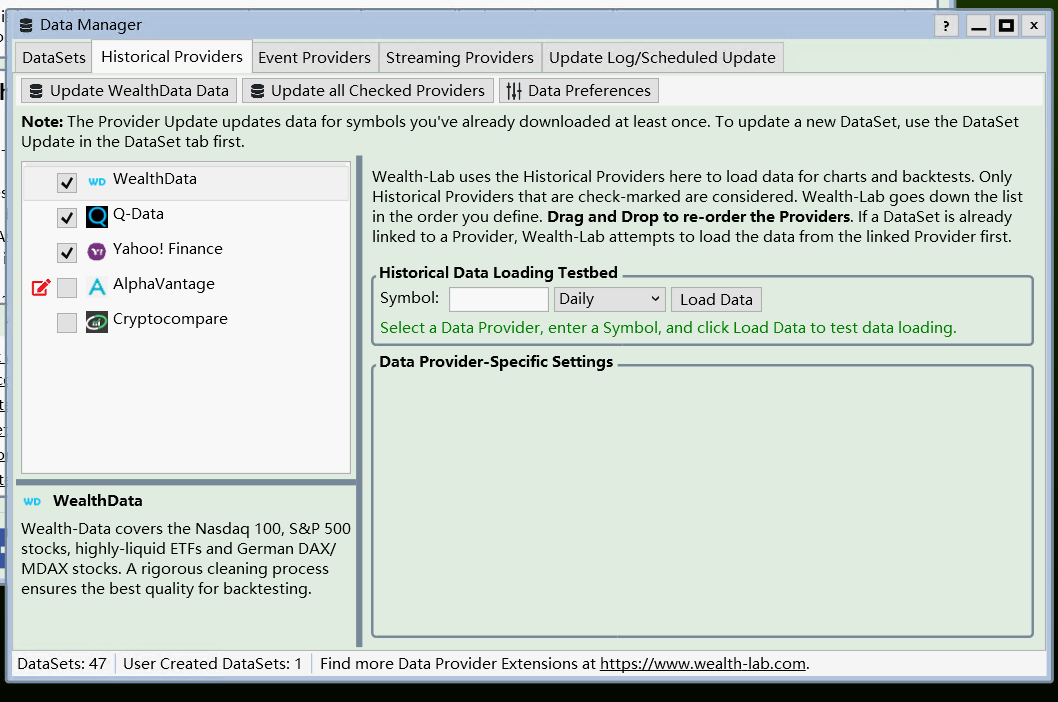
Many thanks.
Many thanks.
Rename
Make sure you download the extension.
Make sure Wealth-Lab is not running.
Install the extension.
Run Wealth-Lab.
Make sure Wealth-Lab is not running.
Install the extension.
Run Wealth-Lab.
Hi I've done as you said. However, I could not get the data from IB Broker such as HK Equity 700 shown as the attachment.
Many thanks.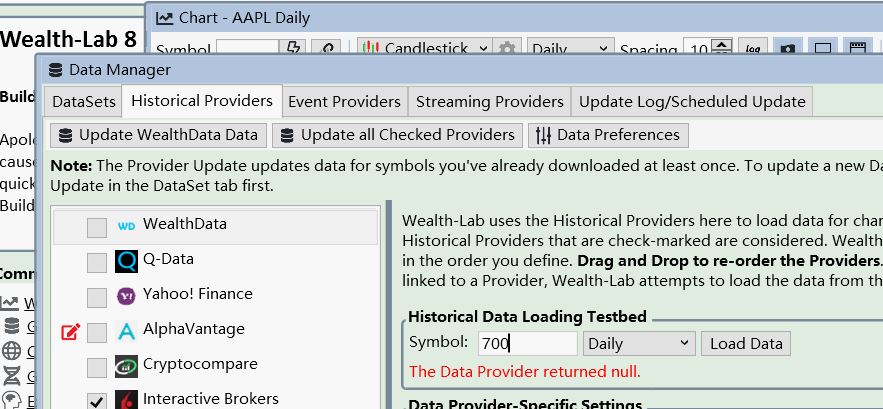
Many thanks.
Which means you entered the wrong or unsupported symbol name. For more info please see Help > Extensions > Interactive Brokers.
terryzeng,
Like in IB TWS, you're required to specify details that identify the contract uniquely. This is explained in detail in the Help (F1) > Extensions > Interactive Brokers
However, instead of using the "Explicit method" in the help, there's a shortcut procedure that I posted here.
https://www.wealth-lab.com/Discussion/How-to-get-DAX-IB-contracts-8766
Check out that link (Post #1) and here's an example of the record you need to add:
Like in IB TWS, you're required to specify details that identify the contract uniquely. This is explained in detail in the Help (F1) > Extensions > Interactive Brokers
However, instead of using the "Explicit method" in the help, there's a shortcut procedure that I posted here.
https://www.wealth-lab.com/Discussion/How-to-get-DAX-IB-contracts-8766
Check out that link (Post #1) and here's an example of the record you need to add:
CODE:Note! Make sure to close WealthLab before editing/saving the IBContracts.txt file.
700=700|HKD|STK|SMART|SEHK|700|||0|
Try entering a stock symbol like AA instead of 700.
Believe it or not, 700 is the symbol on SEHK (Hong Kong). The contract specifications are required though to make it work.
To Glitch's point, AA or any U.S. stock symbol should work by default as long as you have those data permissions.
To Glitch's point, AA or any U.S. stock symbol should work by default as long as you have those data permissions.
Your Response
Post
Edit Post
Login is required