Hello.
I currently want to test stocks of the DAX. The symbols i use in the dataset are known by IB if i pick them manually. Unfortunately i don't know how to setup WL, so it will use Xetra(IBIS) contracts. What do i need to do to trade the DAX symbols with WL?
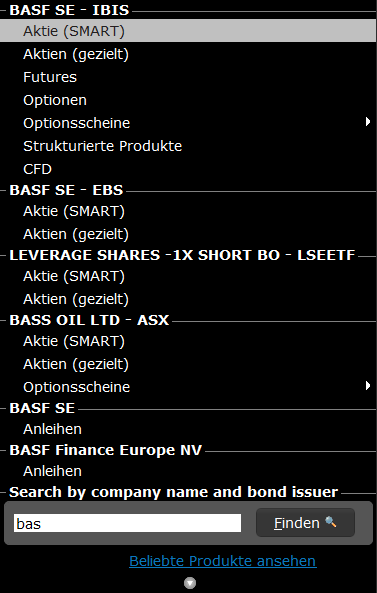
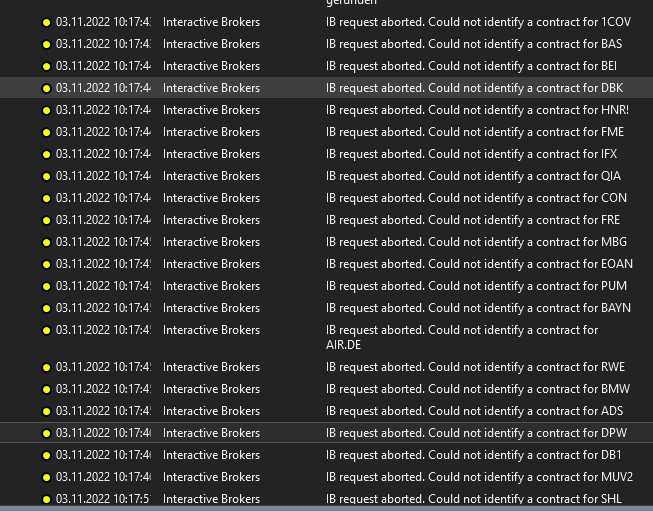
I currently want to test stocks of the DAX. The symbols i use in the dataset are known by IB if i pick them manually. Unfortunately i don't know how to setup WL, so it will use Xetra(IBIS) contracts. What do i need to do to trade the DAX symbols with WL?
Rename
It's explained in the help guide, but I'd recommend this shortcut:
1. File > WealthLab User Data folder
2. Find IBContracts.txt and open it
3. Close Wealth-Lab
4. Create records exactly like these for each of the stocks you want to access, add it to the end of the file, and save.
In case there are symbols that you need to differentiate from another market, you could create a unique pattern to use for your German symbols like this:
Finally, note that the last instance of the symbol name in the string needs to match this symbol, and it some cases it could be different than the underlying symbol.

1. File > WealthLab User Data folder
2. Find IBContracts.txt and open it
3. Close Wealth-Lab
4. Create records exactly like these for each of the stocks you want to access, add it to the end of the file, and save.
CODE:The next time you enter one of the symbols, it will be able to find the contract.
BAS=BAS|EUR|STK|SMART|IBIS|BAS|||0| VOW3=VOW3|EUR|STK|SMART|IBIS|VOW3|||0|
In case there are symbols that you need to differentiate from another market, you could create a unique pattern to use for your German symbols like this:
CODE:If you do this, use *.DE symbol when referring to your symbol in WealthLab.
BAS.DE=BAS|EUR|STK|SMART|IBIS|BAS|||0| VOW3.DE=VOW3|EUR|STK|SMART|IBIS|VOW3|||0|
Finally, note that the last instance of the symbol name in the string needs to match this symbol, and it some cases it could be different than the underlying symbol.
Thanks Cone for the very detailed answer. I will give it a try later that day.
I tried to find it in the help but obviously i looked at the wrong places. I searched for contracts and IB contents.
Just for completness, can you point me to the right article in the help?
I tried to find it in the help but obviously i looked at the wrong places. I searched for contracts and IB contents.
Just for completness, can you point me to the right article in the help?
Just filter for "Interactive"
F1 > Extensions > Interactive Brokers
F1 > Extensions > Interactive Brokers
Ok, my mistake. Searching for "contract" I just hit the return key instead of using the arrows to find more entries.
Anyway, I like your summary in the post before. Thanks again.
Anyway, I like your summary in the post before. Thanks again.
Your Response
Post
Edit Post
Login is required