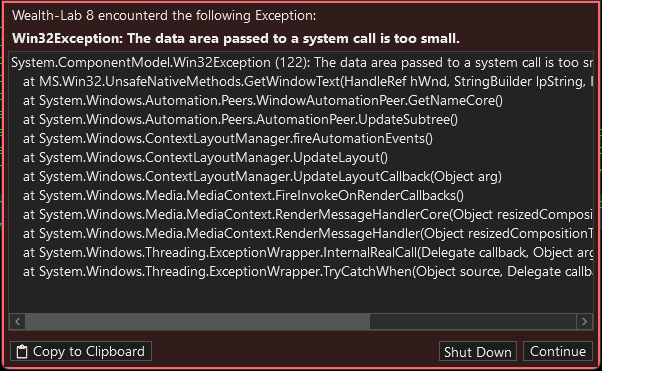
Hi, got the following while in C# and used the backspace to move code. Using WL8 build 14.
CODE:
System.ComponentModel.Win32Exception (122): The data area passed to a system call is too small.
   at MS.Win32.UnsafeNativeMethods.GetWindowText(HandleRef hWnd, StringBuilder lpString, Int32 nMaxCount)
   at System.Windows.Automation.Peers.WindowAutomationPeer.GetNameCore()
   at System.Windows.Automation.Peers.AutomationPeer.UpdateSubtree()
   at System.Windows.ContextLayoutManager.fireAutomationEvents()
   at System.Windows.ContextLayoutManager.UpdateLayout()
   at System.Windows.ContextLayoutManager.UpdateLayoutCallback(Object arg)
   at System.Windows.Media.MediaContext.FireInvokeOnRenderCallbacks()
   at System.Windows.Media.MediaContext.RenderMessageHandlerCore(Object resizedCompositionTarget)
   at System.Windows.Media.MediaContext.RenderMessageHandler(Object resizedCompositionTarget)
   at System.Windows.Threading.ExceptionWrapper.InternalRealCall(Delegate callback, Object args, Int32 numArgs)
   at System.Windows.Threading.ExceptionWrapper.TryCatchWhen(Object source, Delegate callback, Object args, Int32 numArgs, Delegate catchHandler)
Rename
Hi,
In all likelihood, this is an Alternet Editor's issue. Still, how did you use the backspace to move code? Really move, not delete?
In all likelihood, this is an Alternet Editor's issue. Still, how did you use the backspace to move code? Really move, not delete?
I'm using WL built-in editor.
To your question - Used the mouse to place the curser at the beginning of a line of code. Then backspace to move it to the previous line. That's when the error popped.
To your question - Used the mouse to place the curser at the beginning of a line of code. Then backspace to move it to the previous line. That's when the error popped.
Can't tell how many times I did this sequence of actions before or now and it's been working without a hitch. There must be something else to it. If you can give more clues and this is still reproducible, you may be onto something.
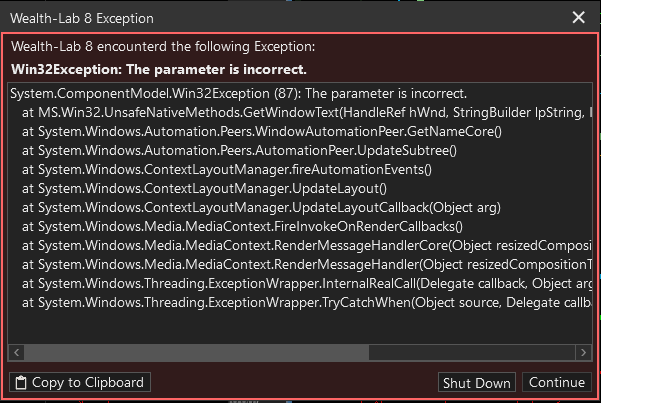
Hi, I'm getting Win32Exceptions more often. This morning I got this one when loading a workspace.
Please let me know if there is debugging log/trace I can provide or turn on. Using WL8 build 14.
Please let me know if there is debugging log/trace I can provide or turn on. Using WL8 build 14.
CODE:
System.ComponentModel.Win32Exception (87): The parameter is incorrect.
   at MS.Win32.UnsafeNativeMethods.GetWindowText(HandleRef hWnd, StringBuilder lpString, Int32 nMaxCount)
   at System.Windows.Automation.Peers.WindowAutomationPeer.GetNameCore()
   at System.Windows.Automation.Peers.AutomationPeer.UpdateSubtree()
   at System.Windows.ContextLayoutManager.fireAutomationEvents()
   at System.Windows.ContextLayoutManager.UpdateLayout()
   at System.Windows.ContextLayoutManager.UpdateLayoutCallback(Object arg)
   at System.Windows.Media.MediaContext.FireInvokeOnRenderCallbacks()
   at System.Windows.Media.MediaContext.RenderMessageHandlerCore(Object resizedCompositionTarget)
   at System.Windows.Media.MediaContext.RenderMessageHandler(Object resizedCompositionTarget)
   at System.Windows.Threading.ExceptionWrapper.InternalRealCall(Delegate callback, Object args, Int32 numArgs)
   at System.Windows.Threading.ExceptionWrapper.TryCatchWhen(Object source, Delegate callback, Object args, Int32 numArgs, Delegate catchHandler)
What's common in the Workspace to the strategy you were working on before? What kind of I/O (input dialogs?) does the strategy have? At least try to isolate this to a strategy.
The strategy is the one I use for quite a while. Other than some changes to the custom indicators and logic I can't think of any other substantiate changes.
The only common thing is the actual code and the provider, IB. Though, yesterday, while working on the strategy and getting the first error I set the app to offline, to speed things.
The 2nd error, today, there was no input. I just used the mouse to select > Workspace > <workspace_name>. The strategy has no input dialog. It uses WriteToDebugLog to output minor stats. The worksspace is composed of 2 charts with the same attached strategy.
Please let me know if there is tracing or debug mode to turn on.
The only common thing is the actual code and the provider, IB. Though, yesterday, while working on the strategy and getting the first error I set the app to offline, to speed things.
The 2nd error, today, there was no input. I just used the mouse to select > Workspace > <workspace_name>. The strategy has no input dialog. It uses WriteToDebugLog to output minor stats. The worksspace is composed of 2 charts with the same attached strategy.
Please let me know if there is tracing or debug mode to turn on.
It only occurs with that strategy that you've used forever and never modified? Please see if you can make it happen when that strategy is not loaded.
It could be some weird Editor bug, like a whitespace where one isn't expected - no idea. But since this is only occurring on your machine, the first step is to try to isolate it to a strategy. If not a strategy, then Preferences.
It could be some weird Editor bug, like a whitespace where one isn't expected - no idea. But since this is only occurring on your machine, the first step is to try to isolate it to a strategy. If not a strategy, then Preferences.
Your Response
Post
Edit Post
Login is required