I wasn't aware that the Price & Volume Adjustment for Norgate Data defaults as shown by the red arrow below. I don't recommend backtesting with that setting, but if you do, you must be sure to disable "Collect Dividends.. " in the Backtest Preferences (F12) > Other Settings.
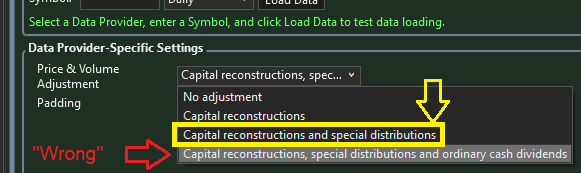
My preferred adjustment setting, which aligns with the way Wealth-Data does it, is the middle setting in yellow - adjust only for "Capital reconstructions and special dividends."
My preferred adjustment setting, which aligns with the way Wealth-Data does it, is the middle setting in yellow - adjust only for "Capital reconstructions and special dividends."
Rename
Is there a setting that you all know of on NORGATE that kills the gaps that occur on certain stocks like $GE in 2020 / 2021.
1/8 split on spinoff of GE into aerospace/env/other one.
Thank you.
1/8 split on spinoff of GE into aerospace/env/other one.
Thank you.
Not sure about $GE, but for GE it's the setting indicated above (or the one below it if you also want to adjust for regular dividends).
Am I in the wrong section? 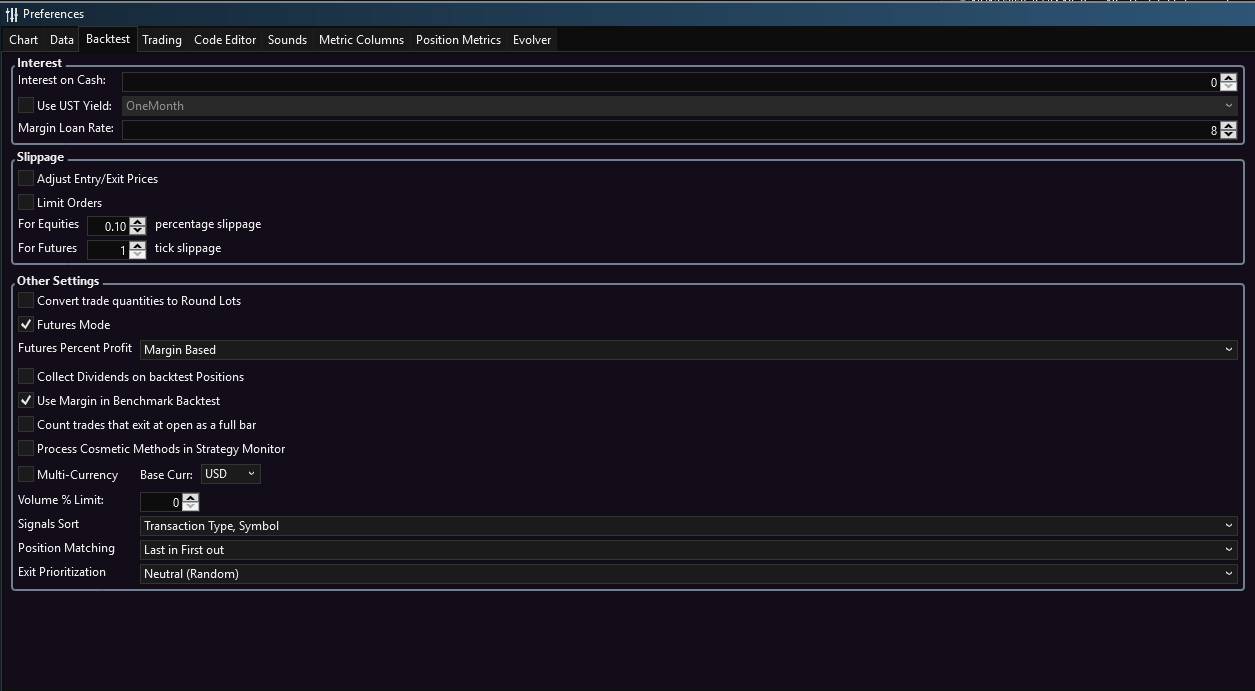
Thanks.
Thanks.
Yes, youre in the general Backtest Preferences area. You want to go to the Norgate data provider configuration section. Open the Data Manager, Historical Providers tab, and select Norgate from the list. You'll see the configuration that Cone posted above.
Thank you. I will try ASAP. Best.
Your Response
Post
Edit Post
Login is required