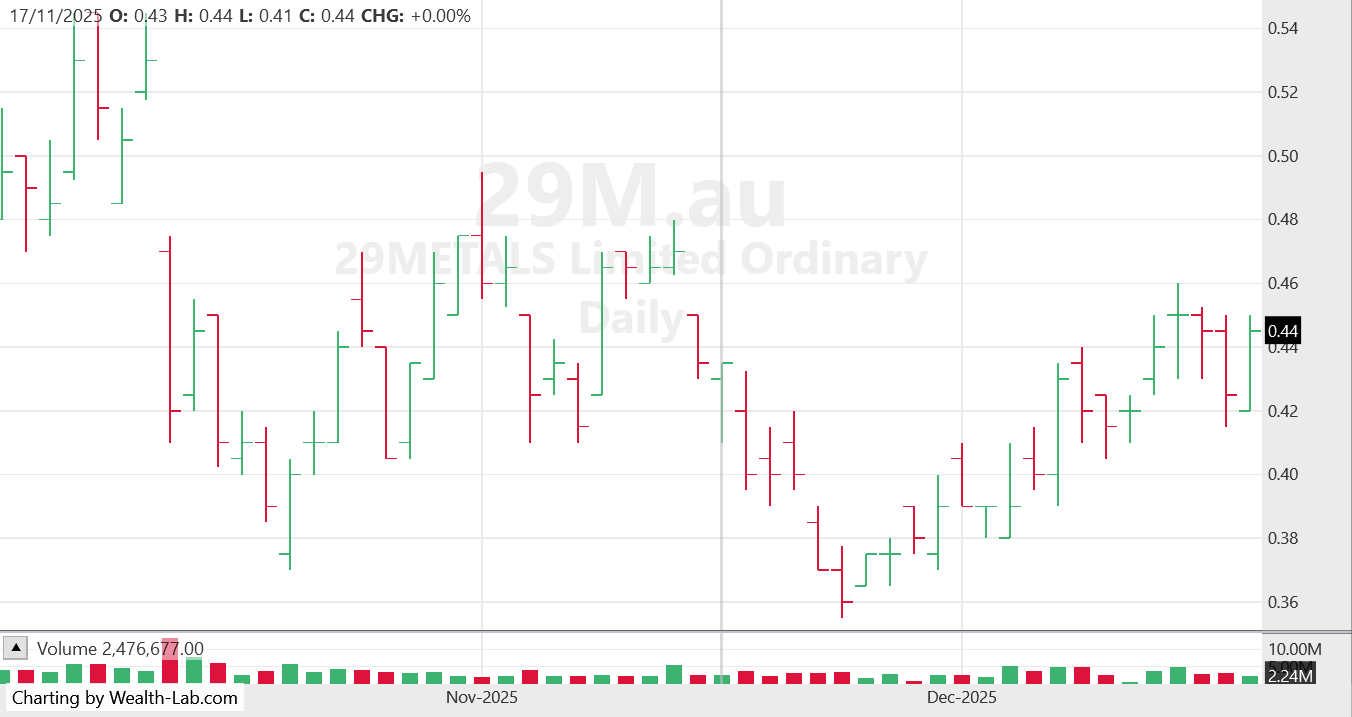
How do I add (or increase ) decimal points to a chart?
Rename
The decimals is a function of the symbol and market. Each crypto, for example, uses a different decimals setting. WL handles it automatically but you can add a Symbol to the Markets and Symbols tool if you really want to change a symbol’s decimals.
Thanks but I am still a it stuck. I trade the very small stocks in Australia. EMP is an example and it is priced in tenths of a cent. So I would like to see that on the chart chart EG: 0.091, 0.092, 0.093 etc
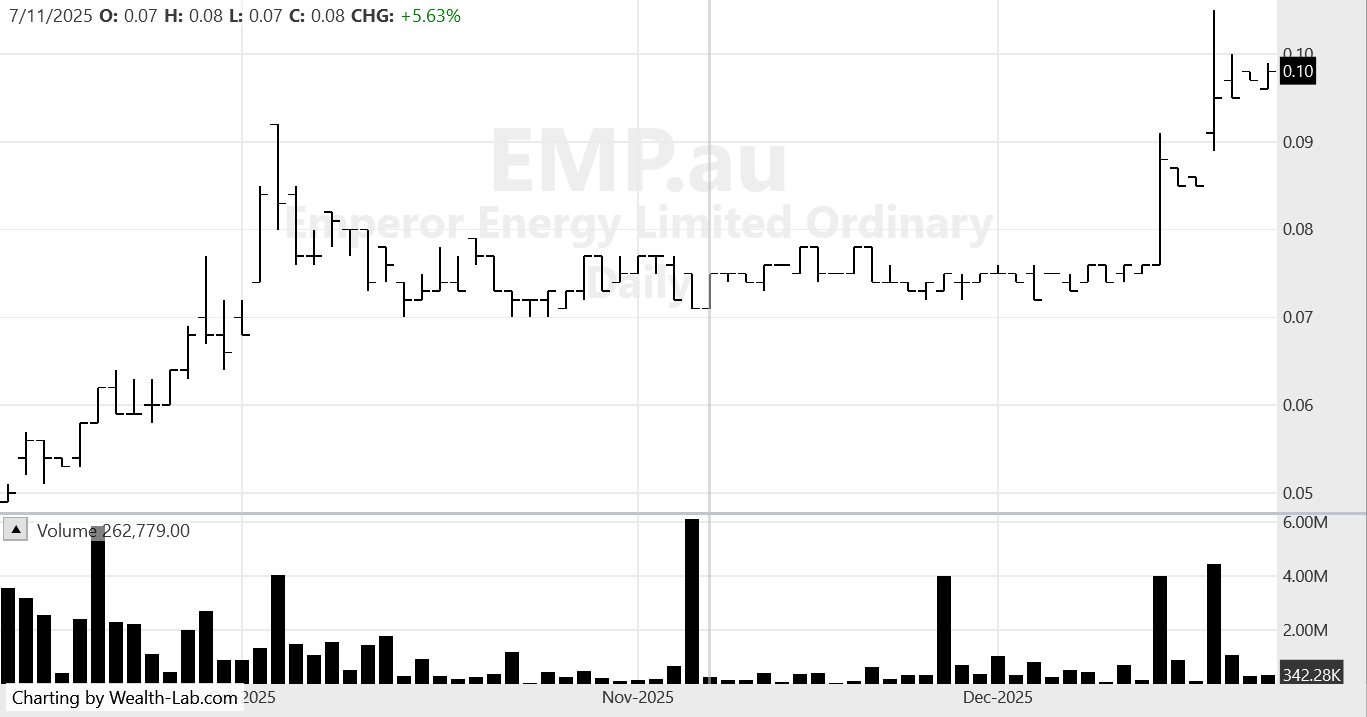
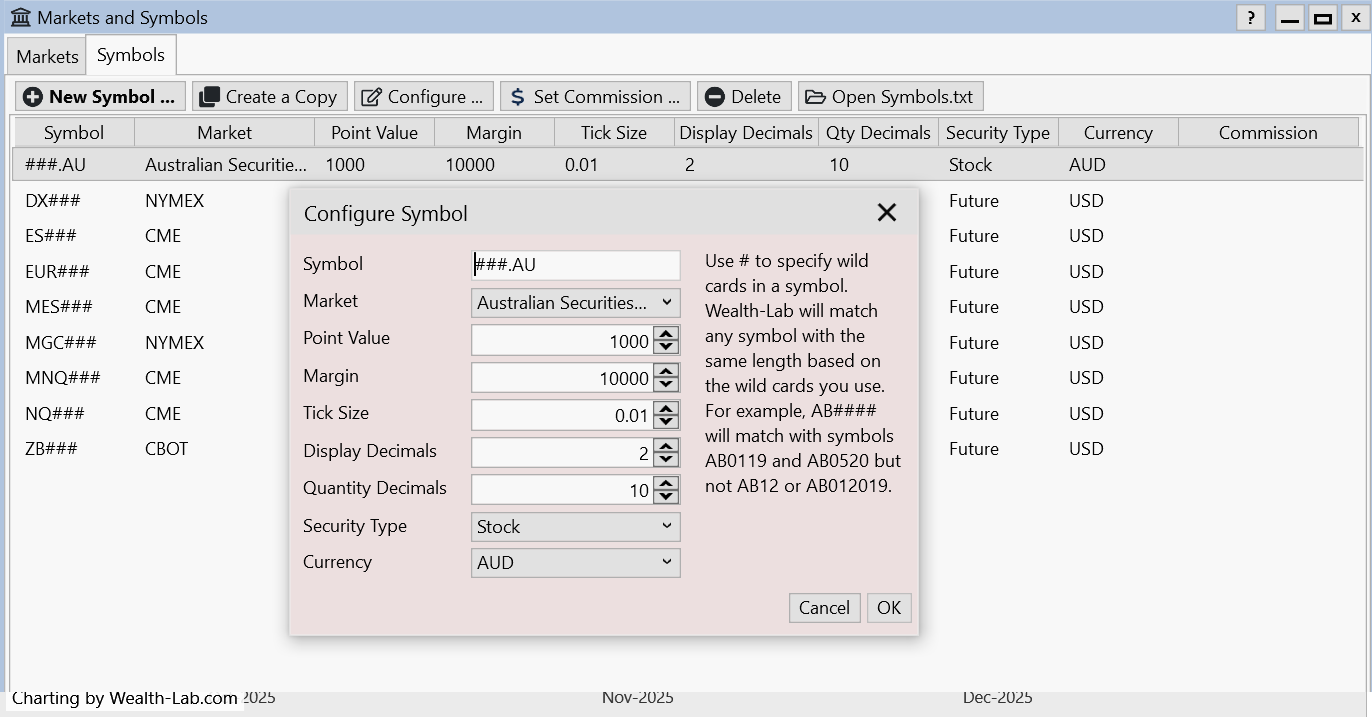
Am i on the right track here?
Am i on the right track here?
I'm not an expert, but the built-in market definitions are locked (i.e. not editable), so the first thing you need to do is make a copy of the Australian Security Exchange definition that you can call "Australian Micro Securities". Now you can edit that copy as necessary.
Be sure to set the Display decimal places to 3. You'll want to define the symbol wild cards for that created copy so they only include the micro securities you trade. Good luck.
Be sure to set the Display decimal places to 3. You'll want to define the symbol wild cards for that created copy so they only include the micro securities you trade. Good luck.
Hi superticker, thanks. I have tried a few things but need some clarification please. Are you saying I need to create a file with all the stocks I want to see with more decimal points? Is there a place in WL8 where I can adjust the decimal points on ALL charts, as there was in WL6? Thanks.
WL8 is more intelligent, with the advent of crypto where each symbol can have its own decimals WL8 draws that information from the broker, and if no broker is determined from the Markets and Symbols tool.
You are making a copy of the Australian Security Exchange definition (not a file, but a definition table) that you called "Australian Micro Securities". Now you edit that copy as necessary to add Symbol definitions that will override the default Australian Security Exchange definition.
I suppose you could type "individual symbols" in your created definition, but the idea is to use wildcards so you select entire groups of similar symbols (so you don't have to list individual symbols).
No, no. There are no external files involved. You are just adding your own custom definition table to the existing definition tables you already see there. And you are basing your new "custom" definition table from the existing Australian Security Exchange definition table (by coping the existing Australian table).
I suppose you could type "individual symbols" in your created definition, but the idea is to use wildcards so you select entire groups of similar symbols (so you don't have to list individual symbols).
QUOTE:
Are you saying I need to create a file with all the stocks I want to see with more decimal points?
No, no. There are no external files involved. You are just adding your own custom definition table to the existing definition tables you already see there. And you are basing your new "custom" definition table from the existing Australian Security Exchange definition table (by coping the existing Australian table).
It's not required to create another market if you're not changing other properties (Market Hours and Holidays), but if you're using Norgate, this is the way to setup that wildcard symbol - case matters, ".au". By default WL capitalizes symbols; just hit shift when you need a symbol in lowercase.
Note also the Point value and Margin for a stock.
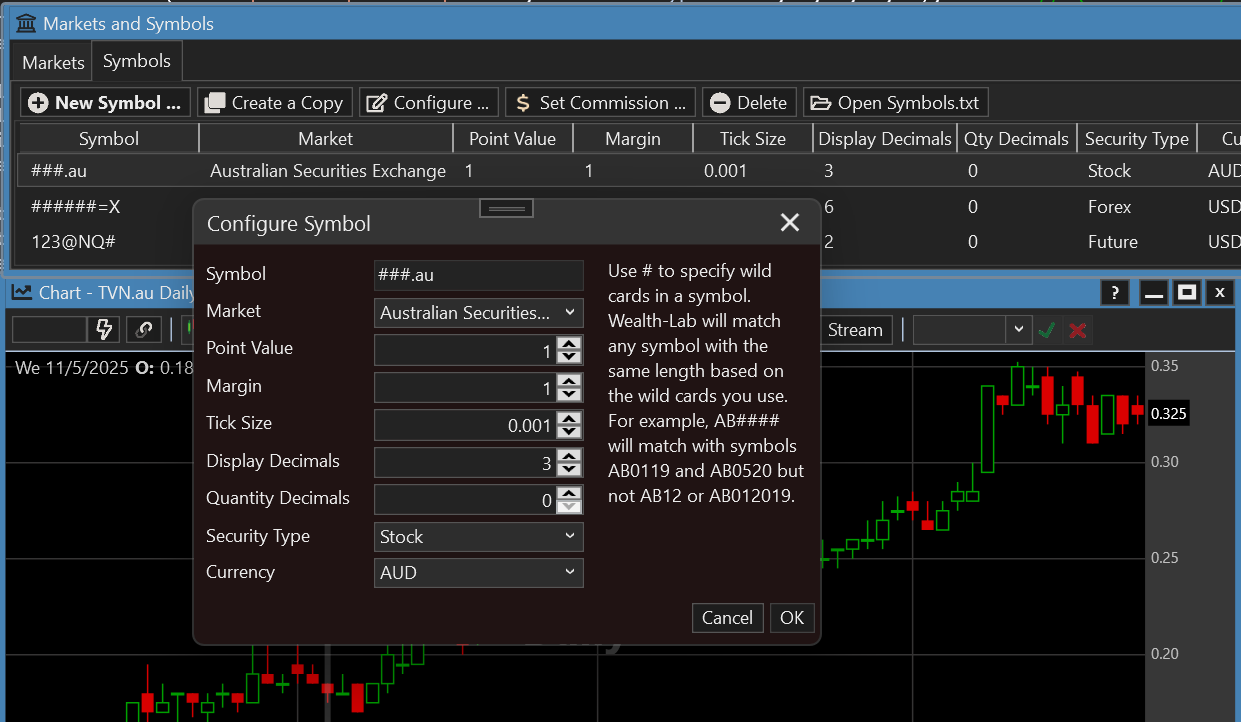
Note also the Point value and Margin for a stock.
ASX pricing decimals are structured based on a stock’s price range, with different tick sizes (minimum price increments) applied:
Prices below $0.10 (10c):
Move in $0.001 (0.1c) increments, quoted to three decimal places (e.g., $0.001, $0.002).
Prices from $0.10 to $2.00:
Move in $0.005 (0.5c) increments, quoted to three decimal places (e.g., $0.210, $0.215).
Prices at $2.00 and above:
Move in $0.01 (1c) increments, quoted to three decimal places (e.g., $3.600, $3.590).
----------
Just eyeballing it, more than half the ASX 100, 200, and 300 stocks are priced under $2. The "tick size" is a tough one because it's applied for the entire market. It seems to make sense to at least make the display decimals 3, by default. (I thought we had done that for "US Stocks" last year, but it's back to 2 for some reason.)
Prices below $0.10 (10c):
Move in $0.001 (0.1c) increments, quoted to three decimal places (e.g., $0.001, $0.002).
Prices from $0.10 to $2.00:
Move in $0.005 (0.5c) increments, quoted to three decimal places (e.g., $0.210, $0.215).
Prices at $2.00 and above:
Move in $0.01 (1c) increments, quoted to three decimal places (e.g., $3.600, $3.590).
----------
Just eyeballing it, more than half the ASX 100, 200, and 300 stocks are priced under $2. The "tick size" is a tough one because it's applied for the entire market. It seems to make sense to at least make the display decimals 3, by default. (I thought we had done that for "US Stocks" last year, but it's back to 2 for some reason.)
I changed it back to 2 until we can implement some dynamic decimaling for the US market. I didn't like seeing 3 decimals for all of my limit orders when I need to always key in 2 decimals.
Dynamic decimaling needed "for the land down under" too!
QUOTE:
until we can implement some dynamic decimaling for the US market.
So dynamic decimal place selection would allow for either 2 or 3 decimal places as a function of the stock price?
I do something like that in my own Class library using a string.format() function. It is a nice feature, but requires a format "string" conditional. I suppose the market definition could offer to accept a format string statement that inputs the stock price, but how would non-programmers know how to use it?
They wouldn't have to. It would be used wherever prices are displayed and probably in the Signal Manager - to modify prices so that signals have the proper precision for their Market.
QUOTE:
It would be used wherever prices are displayed ... in the Signal Manager - to modify prices so that signals have the proper precision for their Market.
I totally don't follow. How does Signal Manager figure out what the proper precision should be for a price?
The same way it does it now - using MarketDetails and SymbolInfo
QUOTE:
using MarketDetails and SymbolInfo
I think WL is doing that already. This is not a new "dynamic" feature.
Now if there is something in the broker's API or price datafeed API that could identify which stocks need what precision, that would be a new dynamic feature.
I know the broker's trading application knows which stocks require what precision because if I enter the wrong number of price decimal places, it gripes. So "maybe" the broker's API has this tick-size information and WL could use that if available.
Your Response
Post
Edit Post
Login is required