I made a simple building block strategy for testing the request of historical intraday data. When I define in the strategy settings a data range e.g. 01.01.2018 – 01.01.2019, starting the backtest, then the response is „0 symbols loaded“.
At fmp I have an account that allows me to load data for 30 years (inclusive intraday).
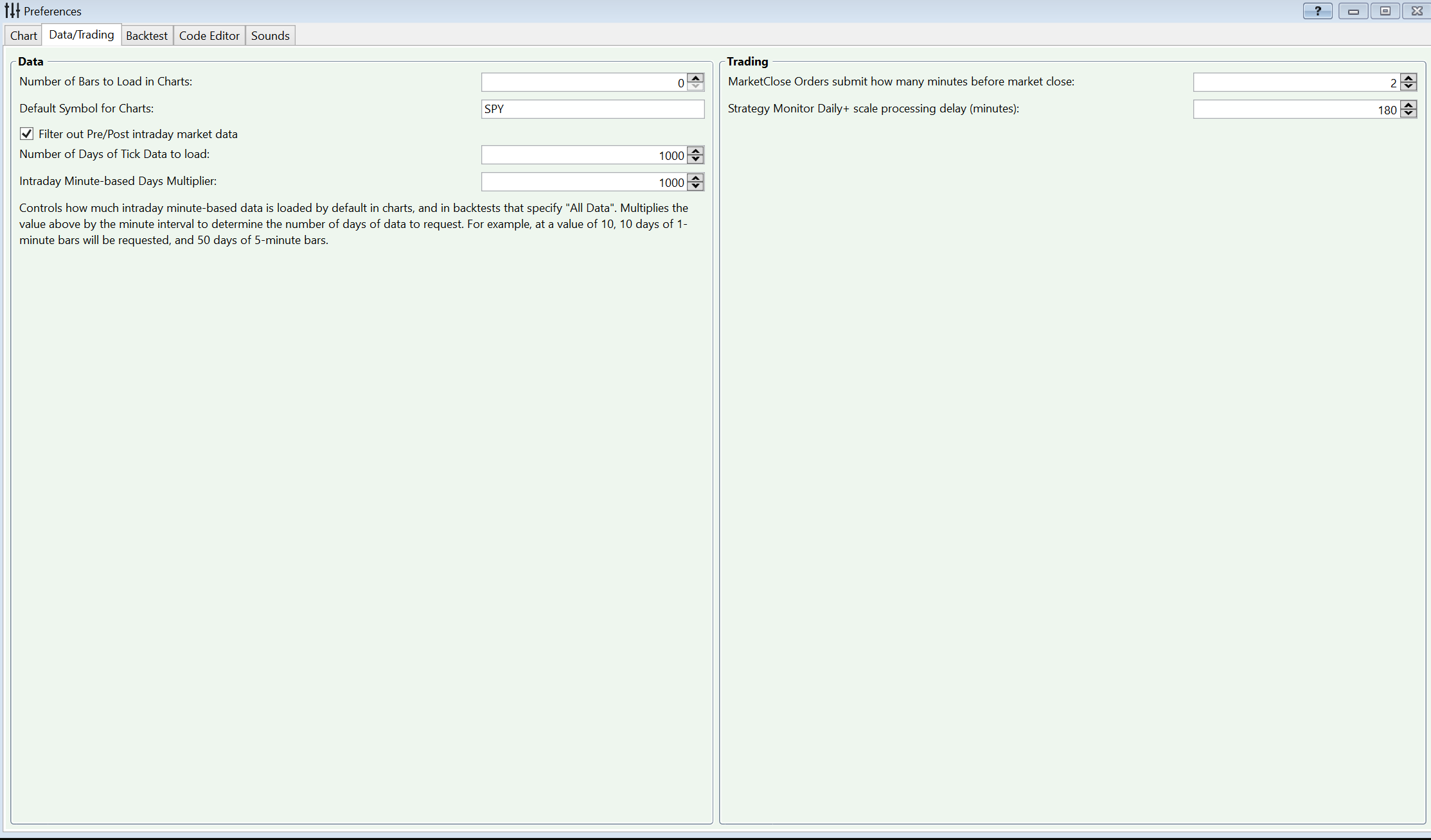
Trying over the prefernces, setting the multipliers to 100 and so on, results in getting one month, the last one from 26.05. to 26.06.2021 sometimes from 26.04.2021
One time I have got the last year for the 30 minutes time range but not for 10 minutes, I think the multipliers were on 100, it was not possible to get this again.
Where is my mistake?
At fmp I have an account that allows me to load data for 30 years (inclusive intraday).
Trying over the prefernces, setting the multipliers to 100 and so on, results in getting one month, the last one from 26.05. to 26.06.2021 sometimes from 26.04.2021
One time I have got the last year for the 30 minutes time range but not for 10 minutes, I think the multipliers were on 100, it was not possible to get this again.
Where is my mistake?
Rename
Hi Michael,
From your email (to which replied our autoresponder) I gather that the problem affects historical intraday data from both FinancialModelingPrep or TwelveData.
1. First of all, in the Data Manager you should check FMP and TwelveData (12D)
2. In Preferences, enter a big enough intraday multiplier to
3. Create the DataSets for FMP and 12D (I see on your screenshot from the email that it might have been done already for FMP)
4. Update it and wait until completion. Now, how many bars do the DataSets contain when you highlight them in the Data Manager?
From your email (to which replied our autoresponder) I gather that the problem affects historical intraday data from both FinancialModelingPrep or TwelveData.
1. First of all, in the Data Manager you should check FMP and TwelveData (12D)
2. In Preferences, enter a big enough intraday multiplier to
3. Create the DataSets for FMP and 12D (I see on your screenshot from the email that it might have been done already for FMP)
4. Update it and wait until completion. Now, how many bars do the DataSets contain when you highlight them in the Data Manager?
thanks for the fast answer.
Did this all.
The DataSet contains 30 symbols (DOW) but the backtest says no symbols loaded
Did this all.
The DataSet contains 30 symbols (DOW) but the backtest says no symbols loaded
In the DM, highlight the FMP/12D DataSets and switch the Scale dropdown to the intraday bar scale you're backtesting on (it's set to Daily by default). Can you take a screenshot to see how many bars do the DataSets contain in that intraday bar scale?
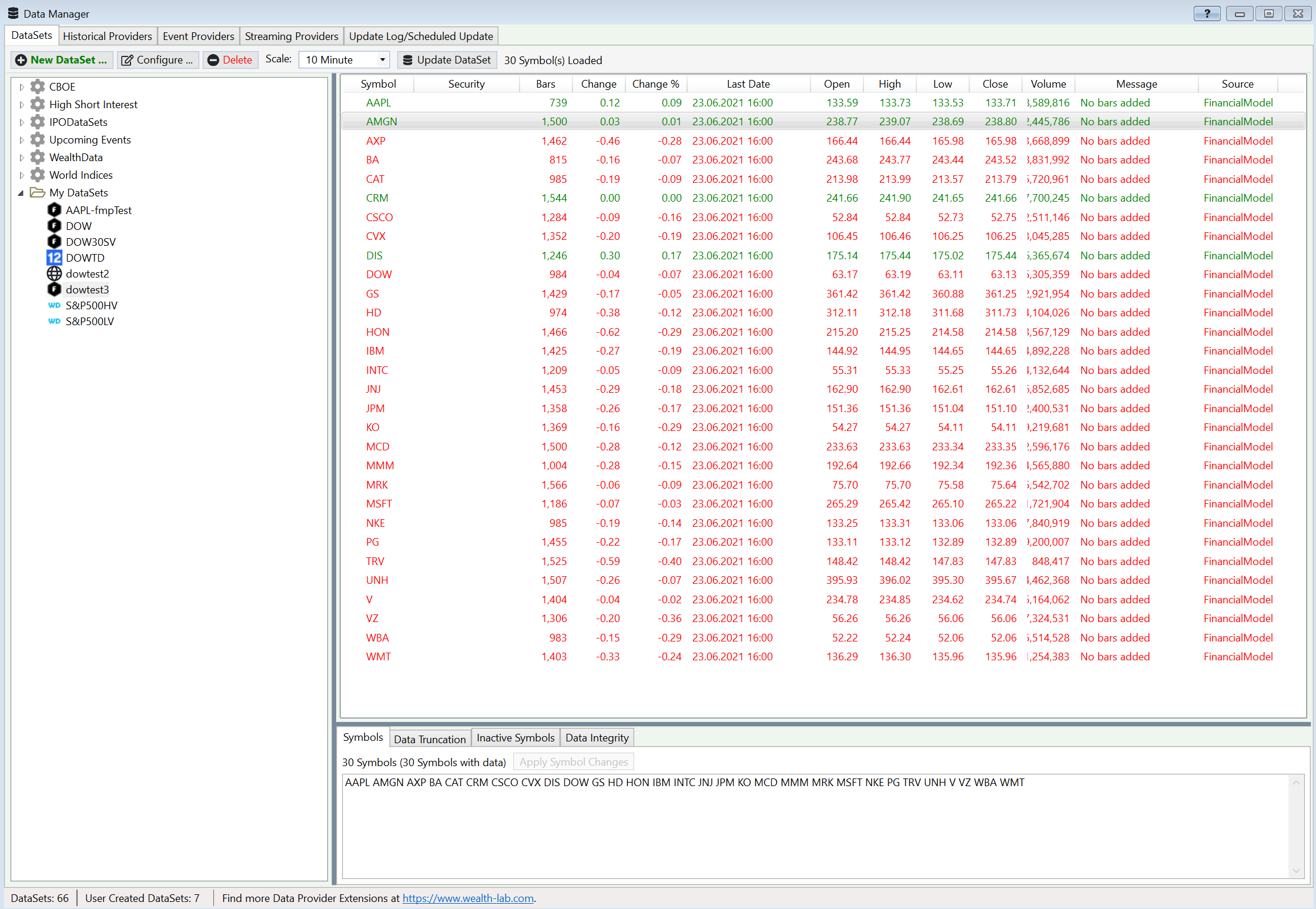
Like I suspected, provider grabbed the last month of intraday data. No wonder you're getting 0 symbols loaded with this date range: there is no data in 2018-2019 and even for 2020.
Here's what should get it done:
1. Delete the accumulated intraday data using the Data Manager. Better do it on a by provider basis for 12D/FMP but if quota matters you can also do it selectively (by bar scale using the Data Tool).
2. Set the intraday multiplier accordingly to grab as many data as possible for your date range.
3. Switch the dropdown to desired bar scale and update the DataSet from scratch. It's less straightforward than letting WL collect the data itself during a backtest but this way you know for sure how many bars have been downloaded.
Here's what should get it done:
1. Delete the accumulated intraday data using the Data Manager. Better do it on a by provider basis for 12D/FMP but if quota matters you can also do it selectively (by bar scale using the Data Tool).
2. Set the intraday multiplier accordingly to grab as many data as possible for your date range.
3. Switch the dropdown to desired bar scale and update the DataSet from scratch. It's less straightforward than letting WL collect the data itself during a backtest but this way you know for sure how many bars have been downloaded.
Eugene, for intraday data, WL7 is programmed to make requests to pre-fill data for an earlier data range. Do these providers use built in persistent storage? If not we should work to get them to support the prefills by overriding some methods.
Of course they do. I suspect that the data might have been updated before and requires refresh.
But I'm not sure why it would require a refresh. For example, say an initial request delivers 1000 bars of 5 minute data, up the current date. If a future request asks for an earlier date that would amount to a total of 2000 bars, WL7 will make a special request to get the earlier data, and then another request to get the update so the 5 minute data is gotten up to date. I'm wondering why that mechanism doesn't work here, requiring a full refresh?
Hi thanks again,
but I cannot solve the problem.
I made the Datasets new and I tried both ways. See the screenshots
Multipliers set to 1000, do I have a missunderstanding here?
1. in the Datamanager here I can 10 days of 10 minutebars
2. over the Strategy Settings with all data set 1 month
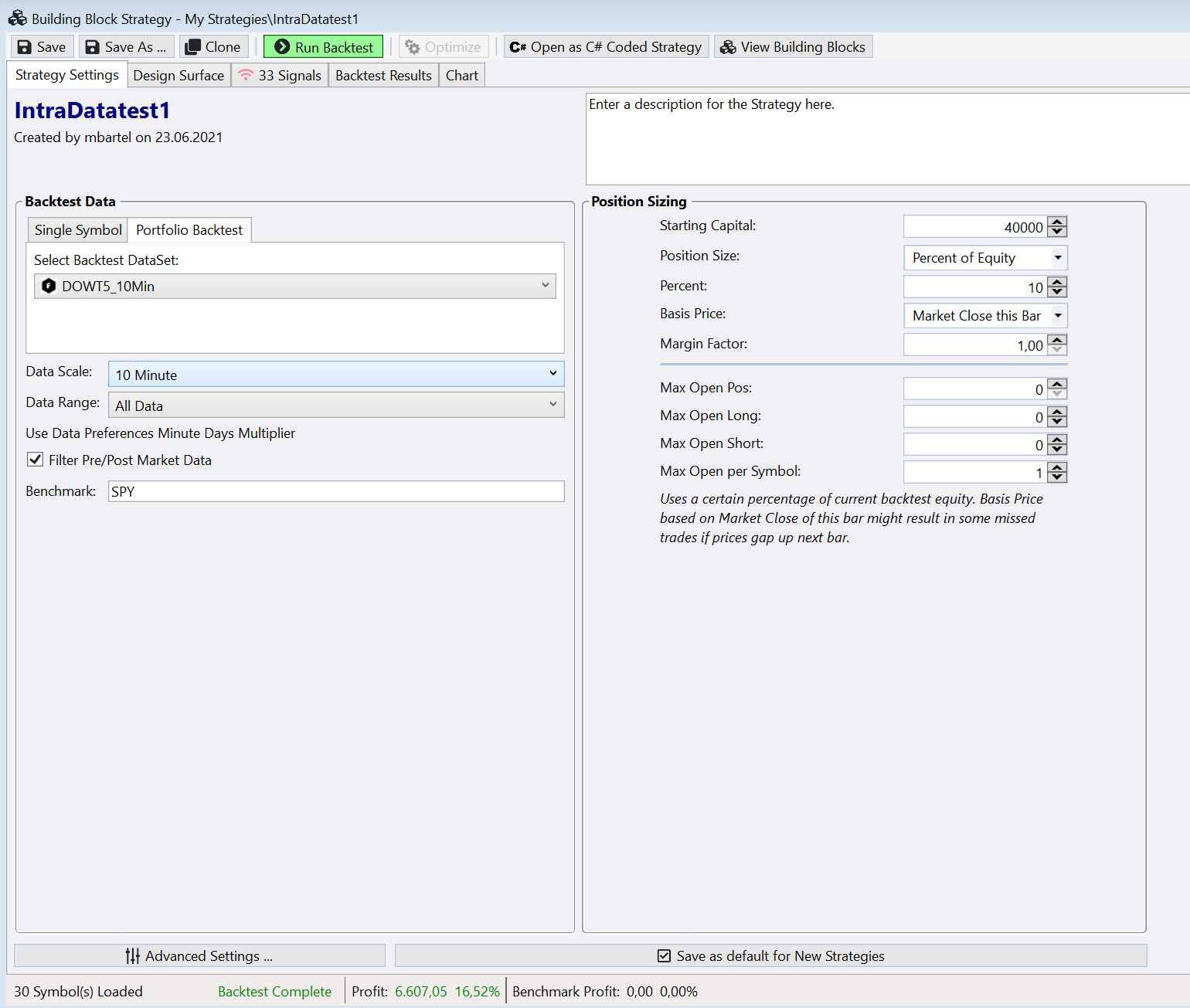
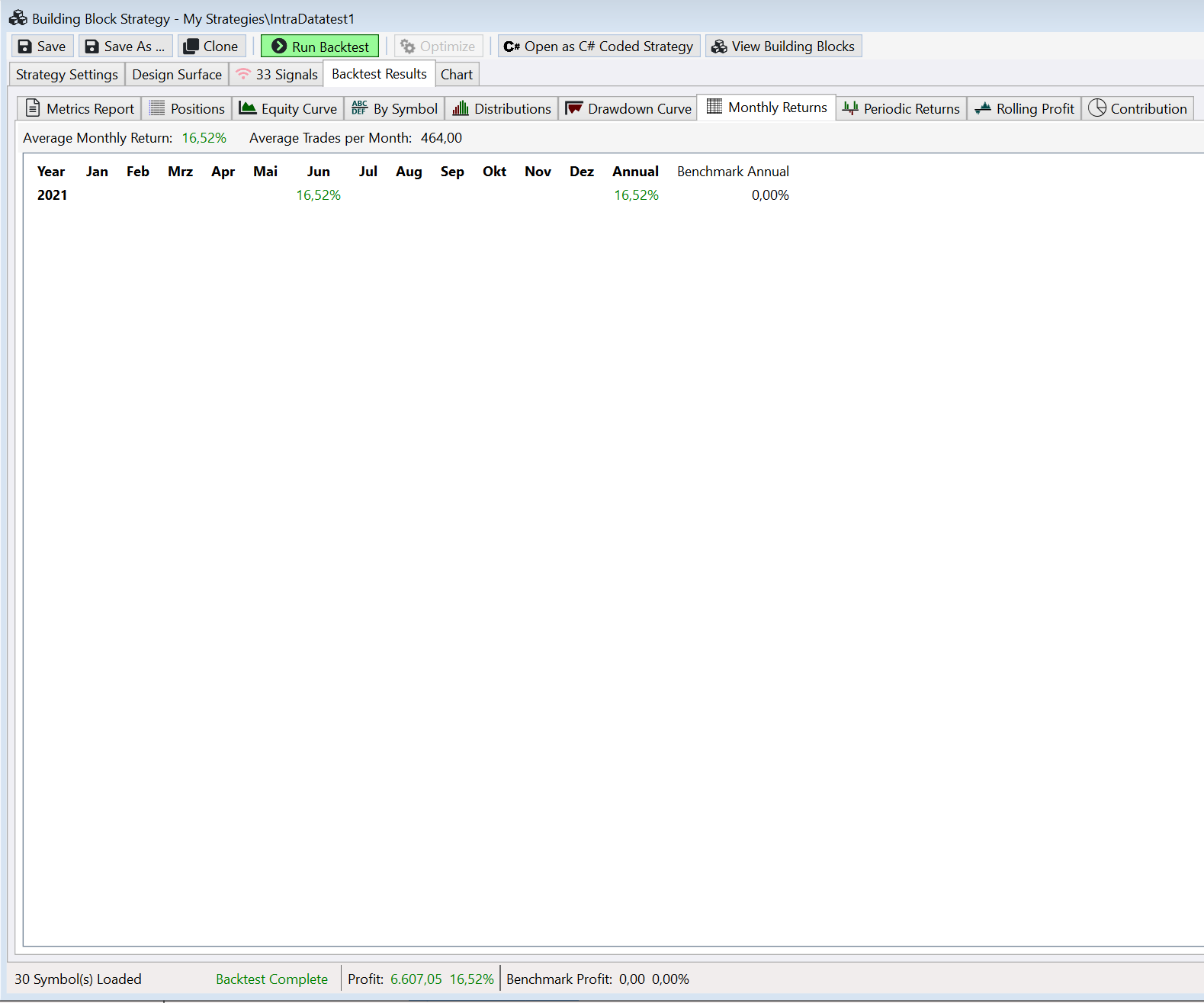
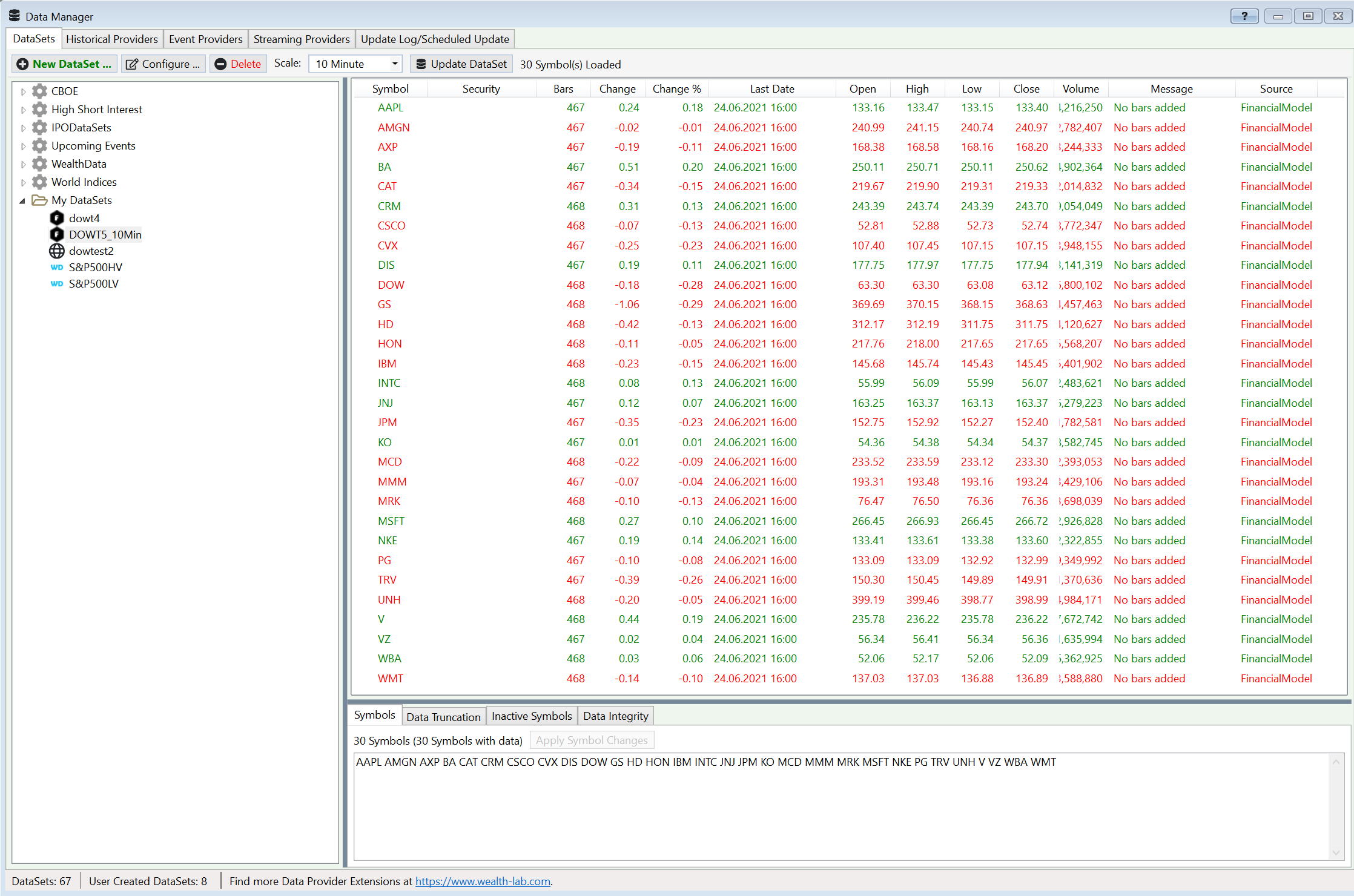
but I cannot solve the problem.
I made the Datasets new and I tried both ways. See the screenshots
Multipliers set to 1000, do I have a missunderstanding here?
1. in the Datamanager here I can 10 days of 10 minutebars
2. over the Strategy Settings with all data set 1 month
It looks like you might haven't refreshed the data by following the procedure in Post #5? Because creating the new DataSet and updating it will not work.
oh ok.
i´m new to wealth lab and had not so much time to work in.
can you describe the refresh in the datamanager or at the provider a little bit more?
Thanks
i´m new to wealth lab and had not so much time to work in.
can you describe the refresh in the datamanager or at the provider a little bit more?
Thanks
On second look, I ran a data update under debugger and got a similar bar count on 10-minute scale. This is fine considering my API key is a Free one.
I don't have experience with paid keys. Other vendors may paginate their data but from what I gather from reviewing their API documentation, there doesn't seem to be any pagination. This means that you should get all the data at once (e.g. for 10-minute AAPL). If your experience is different, refresh the data as suggested below and retry.
There are two ways:
1. Bulk delete (the easiest way): from the Historical Providers tab, highlight FMP, right click and choose "Delete local files".
2. Data Truncation (a more fine grained way) - described in Help > Data Manager > DataSets Tab.
I don't have experience with paid keys. Other vendors may paginate their data but from what I gather from reviewing their API documentation, there doesn't seem to be any pagination. This means that you should get all the data at once (e.g. for 10-minute AAPL). If your experience is different, refresh the data as suggested below and retry.
QUOTE:
can you describe the refresh in the datamanager or at the provider a little bit more?
There are two ways:
1. Bulk delete (the easiest way): from the Historical Providers tab, highlight FMP, right click and choose "Delete local files".
2. Data Truncation (a more fine grained way) - described in Help > Data Manager > DataSets Tab.
Your Response
Post
Edit Post
Login is required